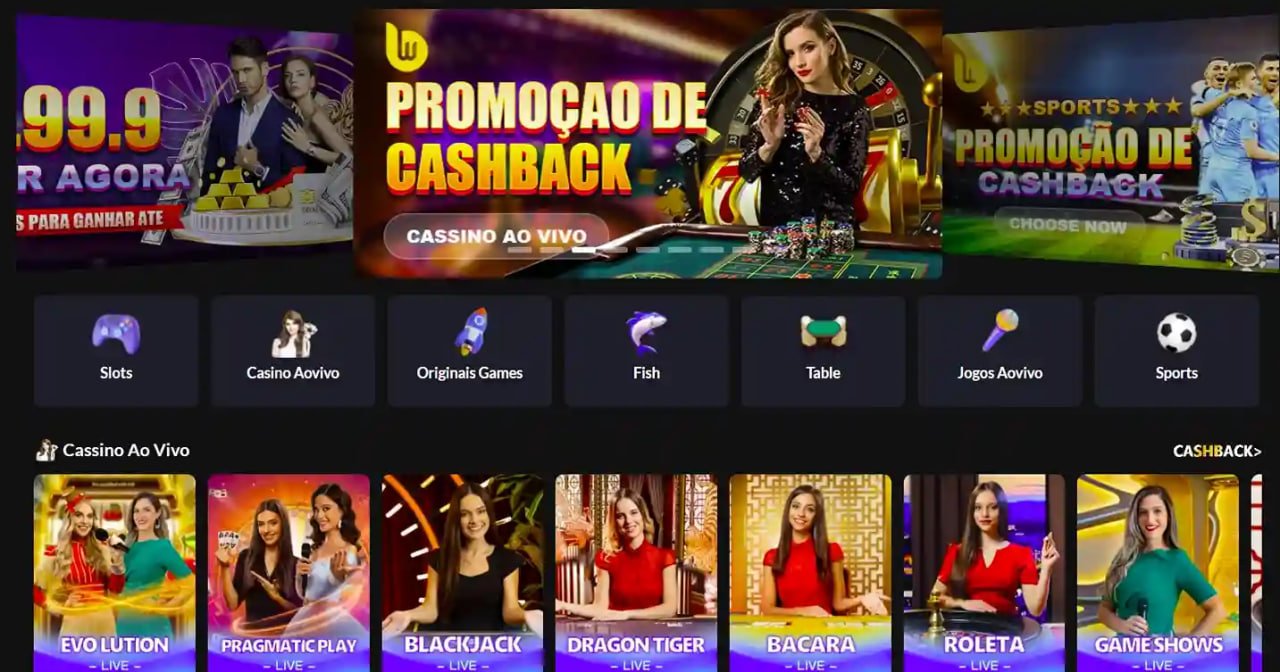
Take the full v99 experience wherever you go. The v99 mobile app gives you complete access to sports betting, Live Casino, slots, and fish shooting games — all in one lightweight, fast, and secure app.
The v99 app is available on both major platforms. Download for free and start playing in under 3 minutes.
Android APK
Version 3.8.2 — Updated June 2026
IOS (iPhone & iPad)
Version 3.8.1 — Updated June 2026
Many Malaysian players who have tried various online gaming platforms will agree that the mobile app experience is far more convenient than browsing a standard website. The v99 app is designed not merely as a scaled-down version of the site — it is a fully optimized experience for mobile screens, with a responsive interface and complete functionality.
One of the first things you will notice when you start using the v99 app is speed. This app is built with native technology, delivering a smooth experience even on mid-range phones commonly used by Malaysian players. No lag, no long loading times, and seamless transitions between sections.
Beyond speed, the v99 app also offers real-time push notifications — a particularly useful feature for players who actively follow sports betting. You will receive notifications directly to your phone when match results are announced, when new promotions are available, or when your withdrawal has been processed. This ensures you never miss any important opportunity.
High Performance, Small Size
The v99 app is just 28MB on Android and 31MB on iOS — remarkably lightweight compared to most gaming apps that can exceed 100MB. Save your data and storage space.
Real-Time Push Notifications
Get instant notifications for match results, withdrawal status, the latest promotions, and live odds updates without having to open the app every time.
Biometric Login
Use your fingerprint or Face ID to log in quickly and securely. No need to type a long password every time you want to play.
Dark & Light Mode
Switch between dark and light mode to suit your preference or playtime. The v99 app automatically adapts to your phone's display settings.
Bahasa Melayu Interface
The entire app is available in Bahasa Melayu, English, and Chinese. Switch languages at any time from your account settings without needing to log out.

Since the v99 Android app is distributed as an APK file (not via the Google Play Store), there are a few extra steps to follow during your first installation. Don't worry — the process is straightforward and takes less than 3 minutes.
Allow Installation from Unknown Sources
Go to your phone's Settings → Security → enable "Install apps from unknown sources". This only needs to be done once before your first APK installation.
Download v99 APK File
Tap the "Download Android APK" button above. The APK file will automatically download to your phone's Downloads folder within seconds.
Open APK File & Install
Go to your file manager or Downloads folder, tap the v99.apk file, then tap "Install". The installation process takes approximately 30 seconds.
Open App & Login
The v99 app is now on your phone's home screen. Open the app, log in with your ID and password, or register a new account for free if this is your first time.

For iPhone and iPad users, the v99 app can be installed directly via the App Store or through a configuration profile depending on your Apple ID account region. Here is the easiest way to get started with the installation.
Tap the iOS Download Button
Tap the "Download for iOS" button above. You will be directed to the profile installation page or App Store depending on your device settings.
Install Configuration Profile (if required)
If prompted, go to Settings → General → VPN & Device Management, then tap the v99 profile and select "Trust". This allows installation of apps outside the App Store.
Install and Wait for Completion
Tap "Install" when prompted. The v99 app will be installed in under a minute. The app icon will appear on your iPhone or iPad home screen.
Enable Face ID & Login
When opening the app for the first time, enable Face ID or Touch ID for faster login. Enter your user ID and password to start playing.
All three ways to access v99 have their own advantages. Here is a quick comparison to help you decide.
| Features | Mobile App | Website | Desktop |
|---|---|---|---|
| Load Speed | ✔ Very Fast | Moderate | Fast |
| Push Notifications | ✔ Yes | ✘ No | ✘ No |
| Biometric Login | ✔ Yes | ✘ No | ✘ No |
| Offline Capable | ✔ Partial | ✘ No | ✘ No |
| Full-Screen Display | Moderate | Moderate | ✔ Best |
| Auto Update | ✔ Yes | ✔ Yes | ✔ Yes |
| Data Usage | ✔ Low | Moderate | Moderate |
| Live Casino Games | ✔ Yes | ✔ Yes | ✔ Yes |
In today's smartphone era, the way we enjoy online entertainment has completely changed. Malaysian players now prefer accessing gaming platforms directly from their phones rather than sitting at a desktop. Recognising this need, v99 has invested heavily in developing a mobile app that doesn't just function well — it's genuinely enjoyable to use every day.
The v99 app is designed with a mobile-first approach — meaning every interface element, every button, and every animation is purpose-built for touchscreen use. Unlike other platforms that simply adapt their websites for mobile, v99 built this app from the ground up, ensuring every aspect of the user experience is optimised for phone screen sizes and usage patterns.
A question frequently asked by new users is: "Is it safe to download the v99 APK?" The answer is yes — as long as you download directly from the official v99 website. APK files distributed through official v99 channels go through a strict security screening process and contain no malware or malicious code.
All communications between the app and v99 servers are encrypted using the latest TLS 1.3 protocol, ensuring your personal data and financial information are always protected. Your login credentials are stored securely using AES-256 encryption within your own phone's hardware — not on external servers — providing a critical additional layer of security.
One of the key advantages of the v99 app over some other platforms is that it provides full access to the entire games library — no restrictions or limited versions for mobile users. This means you can enjoy live sports betting with real-time odds, Live Casino with a wide range of professional dealers, hundreds of slots from the world's leading providers, interactive fish shooting games, and much more, all from your mobile screen.
For Live Casino players in particular, the v99 app delivers exceptional video quality even on a standard 4G connection. The video streaming technology used by v99 automatically adjusts quality based on your internet speed — ensuring a smooth gaming experience with no frustrating buffering.
All payment methods available on the v99 website work fully within the mobile app. You can make deposits using FPX (all major Malaysian banks), online banking, Touch 'n Go eWallet, Boost, and GrabPay directly in the app. The minimum deposit remains at RM30 and funds arrive in your account within seconds after bank confirmation.
For withdrawals, the process is just as straightforward — select your withdrawal method, enter the amount, confirm with your PIN or biometrics, and v99 will process the request within 1 to 3 hours on business days. A push notification will be sent directly to your phone once the withdrawal has been successfully processed — no need to log in again to check the status.
V99 consistently releases monthly app updates, bringing performance improvements, new features, and bug fixes reported by the user community. Updates can be done directly within the app with a single tap — you will be notified automatically when a new version is available and can choose to update immediately or later.
The v99 customer support team operates 24/7 and can be reached directly in the app via the live chat button, always available at the bottom of the screen. Responses are typically received in under 2 minutes during peak hours, and support is available in Bahasa Melayu, English, and Chinese.
To get the best experience on the v99 app, there are a few simple things you can do. First, always use the latest app version, as every update brings significant performance improvements. Second, connect to WiFi when playing Live Casino or watching sports streaming to ensure optimal video quality and save your mobile data.
Third, enable push notifications in the app settings so you never miss a limited-time promotion or important match result. Fourth, use the betting limit feature in your account settings to set daily or weekly limits — this is a responsible gaming practice strongly encouraged by v99 for all its users. Playing wisely and within your means is the foundation of an enjoyable and sustainable entertainment experience.
Android
IOS
The v99 support team is ready to assist you 24/7. Reach us via in-app live chat or visit the FAQ section for quick answers.
View FAQ Live Chat Support
The most frequently asked questions by users about downloading and using the v99 app.
Register a free v99 account today, download the official app, and claim your first deposit bonus. The sign-up process takes less than 2 minutes.